Convert Designs for ZSK Embroidery Machines for Clean and Smooth Stitches
Introduction: Your ZSK Machine Deserves Better Than Bumpy Stitches
You bought a ZSK for a reason. These German workhorses churn out thousands of stitches per minute, handling caps, 3D puff, and mass production with ease . But here’s the catch. Feed one of these machines a poorly converted design, and suddenly your smooth-running production line turns into a thread-snapping, needle-breaking nightmare.
I have watched perfectly good logos turn into puckered messes simply because someone used the wrong conversion method. The machine isn't the problem. The file is. In this guide, I will show you exactly how to Convert Designs for ZSK Embroidery Machines the right way. We will cover native file formats, professional software options, machine-specific settings, and the maintenance habits that keep your stitches clean. No fluff. Just what actually works on the shop floor.
Know Your Target: The ZSK File Format Family
Before you convert anything, understand what your ZSK actually speaks. The native language of ZSK machines is the .z00 transport code . Think of .z00 as a complete instruction manual for your machine. It includes stitch data, color change commands, and even technical production info. DST files also work on ZSK machines, but they are dumber. A DST file tells the machine where to stitch but not which needle to use for each color. You have to assign that manually at the controller .
Here is my rule. For production runs where consistency matters, use .z00 files. For quick tests or designs from outside digitizers, DST works fine. The conversion tools I will show you handle both formats.
The Professional Software Stack for ZSK Conversion
ZSK offers its own ecosystem of software, and honestly, you should use it. Third-party tools work, but native ZSK software writes directly to the .z00 format without translation errors.
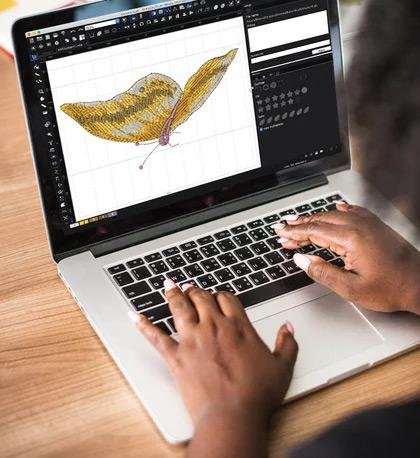
BasePac Premium is the flagship. ZSK developed it specifically for their machines, and version 10 handles everything from classic embroidery to technical applications like wire laying . I use BasePac when I need full control over stitch density, underlay, and pull compensation. The auto-digitizer converts vector logos into embroidery files in a few clicks. You can also import JPG or PNG and trace manually. BasePac exports directly to .z00, which means you skip the DST middleman entirely. Price sits in the professional range, so this makes sense for shops doing volume work.
Nodety is newer and frankly fascinating. It runs in your browser, no installation required . You feed it text, images, or SVG files, and it generates embroidery data in real time. The parametric system means you can change text or resize a design without rebuilding from scratch. Nodety shines for personalization work like names on uniforms or variable data. It outputs .z00 directly. I tested the SVG-to-embroidery feature, and it converted a clean logo vector into a stitch-ready file in about thirty seconds . Nodety works best for line art, logos with clean outlines, and lettering. Complex photographic images still need manual digitizing.
ZSK Terminal is your everyday companion. It converts DST files to .z00, assigns thread colors, and even creates embroidery from photos using the PhotoStitch feature . Terminal also manages your design library and sends files directly to networked machines. The converter tool lets you load a DST, map each color section to your actual thread inventory, and spit out a production-ready .z00. I use Terminal daily for quick conversions because it takes two minutes and requires zero digitizing skill.
The Conversion Workflow That Delivers Smooth Stitches
Let me walk you through my actual process when converting a logo for ZSK production.
Step one, start with a clean vector file. If you only have a JPG, trace it in Inkscape or Illustrator first. Fuzzy edges become fuzzy stitches.
Step two, open BasePac or Nodety. Import your vector. Set your final embroidery size now because resizing later changes stitch density. For caps, keep designs under 4 inches wide. For flat goods, you can go larger.
Step three, assign stitch types manually or use auto-digitize. For logos with thick letters, use satin stitches. For large filled areas, use tatami fills. For 3D puff embroidery, here is where ZSK machines shine. Turn off stitch shortening in your object settings so the needle fully perforates the foam . Set stitch density tighter than usual, around 2 instead of the standard 4. Add a run stitch before the satin stitch to secure the foam in place. These settings make the difference between clean 3D letters and a ragged mess.
Step four, export as .z00. Do not export as DST unless you have a specific reason. The .z00 format preserves your color assignments, stitch optimizations, and production data.
Step five, load the file onto a USB or send it over your network to the ZSK machine. Use the T8 controller to pull up the design. If you see any warnings about optimization, follow the prompts to assign needles correctly .
T8 Controller Settings That Protect Your Stitch Quality
Your conversion work means nothing if the machine itself fights you. The ZSK T8 controller has settings that directly affect how your design stitches out.
First, check your pantograph inquiry setting. If you switch between caps and flat goods often, keep this enabled. Loading a flat design while the machine thinks it is in cap mode rotates everything 180 degrees, and you will stitch upside down . If you only run one type of work, disable the inquiry to save clicks.
Second, manage your modification options. I set mine to no modification options. Why? Because I size and rotate designs in software before export. Editing on the machine screen is imprecise and invites errors. Trust your digitizing, not your tired Friday afternoon fingers.
Third, handle optimization options carefully. For DST files, set the controller to prompt for needle assignment. For .z00 files, you can skip optimization screens entirely because the color data is already embedded .
Fourth, turn off unnecessary prompts. If you use the same network connection every time, set the controller to use the last network connection automatically. If you do not need to manually assign design numbers, enable automatic number assignment. Each prompt you eliminate saves seconds per job, and those seconds add up to real production time.
Maintenance: The Hidden Ingredient for Clean Stitches
Here is something most digitizing guides skip. You can convert a design perfectly, but if your machine is dirty, the stitches will still look bad. ZSK machines run at high speeds, and lint builds up fast.
Every day, clean the bobbin area. Add a small drop of oil to the spot where the two black metal pieces meet. Run a test stitch on scrap fabric to clear excess oil . Every week, oil the color slots that move up and down. Grease the high-motion parts. Blow compressed air into pedals and levers to clear hidden dust . ZSK offers a free maintenance schedule download on their site. Use it .
I have seen shops blame their digitizing software when the real culprit was a month of built-up lint throwing off the thread tension. A clean machine follows clean stitch commands faithfully.
3D Puff and Caps: Special Cases for ZSK
If you run caps or 3D puff on your ZSK, pay close attention. These applications need specific conversion settings.
For 3D puff foam, reduce your machine speed so the needle manages the thick material cleanly. Use a needle with a shorter shaft to prevent thread breakage when piercing dense foam. Choose firm foam, not soft foam, and match the foam color to your thread . After stitching, use a 3D Puffy Pen or hot air blower to remove excess foam between the satin stitches.
For caps, use the ZSK cap frame with the spring-loaded system that prevents overtightening. Align your design slightly left of the center seam mark on the cap guide for a truly centered final look . The cap hooping station saves your back and improves accuracy.
When to Outsource Your ZSK Conversion
Let me be honest. Not everyone needs to buy BasePac or master Nodety. If you convert designs for ZSK only once a month, hire a professional digitizer who specializes in industrial machines. Send them your logo, specify .z00 format and your hoop size, and pay the $15 to $25 fee. Test the file once. If it stitches clean, you just saved yourself hours of learning curve.
If you run production daily, learn the software. The time you save on iterations pays for the software in weeks, not months.
Conclusion: Smooth Stitches Start With Smart Conversion
Converting designs for ZSK embroidery machines is not about finding a magic button. It is about using the right tools for the job. Start with clean vector art. Use BasePac, Nodety, or ZSK Terminal to generate native .z00 files. Set your stitch parameters correctly, especially for 3D puff applications. Configure your T8 controller to eliminate unnecessary prompts. Keep your machine clean so it can follow your commands precisely. Test every new design on scrap fabric before production.
Your ZSK machine wants to run smooth and fast. Give it files that speak its language, and it will reward you with clean, professional stitches every single time. Now go convert something the right way.

 English
 Arabic
 French
 Spanish
 Portuguese
 Turkish
 Dutch
Dutch
 Italiano
 Russian
 Romaian
 Portuguese (Brazil)
 Greek
Greek